





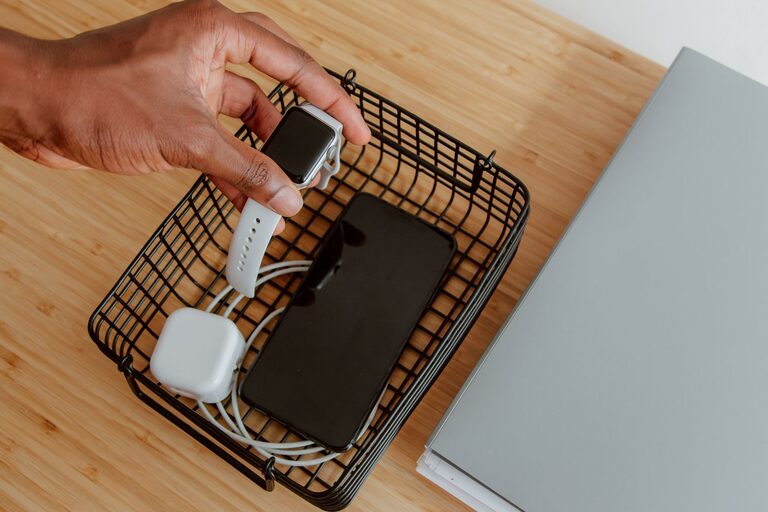
Setting up a charging station for your devices can simplify your daily routine and keep your gadgets organized and ready to use. Whether you have multiple smartphones, tablets, laptops, or other rechargeable electronics, a dedicated charging station helps reduce clutter, prevent cable tangles, and ensures everything is charged in one convenient location.
In this guide, we will walk you through the process of setting up an effective charging station at home. From choosing the right spot to organizing cables, these tips will help you create a neat and functional charging hub.
Why Set Up a Charging Station?
Before diving into the setup, it helps to understand the benefits:
– Organization: Keeps all devices in one place, reducing lost chargers and tangled cords.
– Efficiency: Saves time by having a dedicated spot for charging rather than searching for outlets.
– Safety: Helps prevent cables from becoming hazards and reduces wear on chargers.
– Aesthetics: Creates a clean, clutter-free environment.
Step 1: Choose the Right Location
The first step is to select an area in your home where the charging station will be accessible and practical.
Considerations for Location:
– Proximity to Power Outlets: Make sure the spot has enough outlets or is close to one.
– Visibility: Choose a place visible and easy to reach for all family members.
– Surface: Use a stable, flat surface such as a desk, shelf, or side table.
– Safety: Avoid areas prone to liquid spills or excessive heat.
Popular locations include the living room console, kitchen countertop, office desk, or bedside table.
Step 2: Gather Necessary Supplies
Once you have the spot, gather the items needed to build your charging station.
Basic Supplies:
– Power Strip or Charging Hub: A multi-outlet power strip or a USB charging hub with multiple ports.
– Charging Cables: Make sure you have the correct cables for all your devices (e.g., Lightning, USB-C, Micro-USB).
– Cable Organizers: Clips, ties, sleeves, or cable boxes to manage cords.
– Storage Box or Dock: Optional containers or docking stations to keep devices and accessories in place.
Step 3: Assess Your Charging Needs
Take inventory of the devices you want to charge regularly. This will inform how many ports and what type of chargers you need.
Tips:
– Count Devices: Consider phones, tablets, smartwatches, earbuds, and other rechargeable tech.
– Check Charging Speeds: Look for chargers that support fast charging if your devices allow.
– Universal Compatibility: USB hubs with various ports (USB-A, USB-C) provide flexibility for different devices.
Step 4: Set Up Power Sources and Connect Devices
Arrange your power strip or charging hub in the chosen spot and plug it into the wall.
Steps:
- Place the power strip or multi-port charger securely.
- Plug in all necessary chargers or cables.
- Connect your devices, making sure cables are the right length to prevent slack.
- Turn on the power strip if it has a switch.
Step 5: Organize and Manage Cables
Proper cable management is key to an orderly station. Without it, cords can quickly become messy and frustrating.
Cable Management Ideas:
– Use cable clips or adhesive cable organizers to guide cords along surfaces.
– Employ velcro ties or reusable twist ties to bundle excess cable length.
– Consider a cable box to hide power strips and excess cables.
– Use a charging dock with built-in cable management features for added neatness.
– Label cables to identify them easily.
Step 6: Add Finishing Touches
Make the charging station more user-friendly and visually appealing:
– Add small baskets or trays to hold devices or accessories.
– Place a small sign or label to remind family members to plug in devices.
– Keep a cleaning cloth nearby to maintain the area dust-free.
– Use decorative elements like plants or photos to integrate the station into your home decor.
Additional Tips for Maintaining Your Charging Station
– Regularly inspect cables and chargers for wear and replace when necessary.
– Avoid overloading power strips to prevent electrical hazards.
– Encourage everyone in your household to return devices to the station to maintain order.
– Consider upgrading to smart charging hubs that can manage charging speeds and monitor energy use.
Conclusion
A well-planned charging station brings convenience and order to your tech-filled home. By choosing the right location, gathering the appropriate accessories, and organizing cables thoughtfully, you can create a neat and efficient setup that keeps all your devices powered and ready. Start with these steps today and enjoy the benefits of a clutter-free charging space.




More Stories